On your Fire TV home screen select the magnifying glass 🔍, type Dod Play and pick the app with our logo. Select Get (or Download). You can also tap the Available at Amazon Appstore button above from your phone and send it to your Fire TV.
🔍 dod play
Dod PlayDod Play · FreeWorks with the Fire TV remote
Get
2
When it’s done, select Open.
Dod PlayInstalled
Open
3
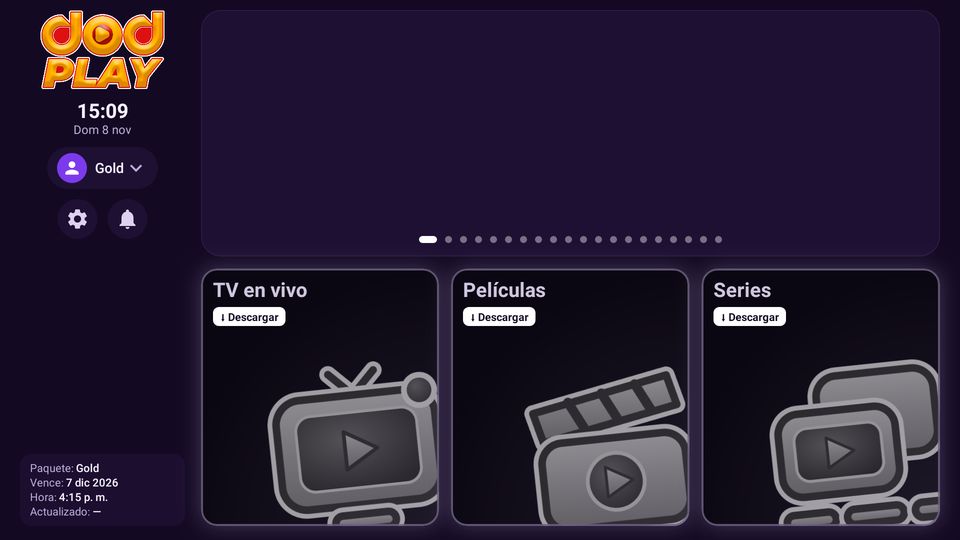
DOD Play opens like this. Next time you’ll find it in Your Apps.
⬇ Not showing up in the store? Install the Downloader app and enter the code 2024726.
🔑How to sign in
1
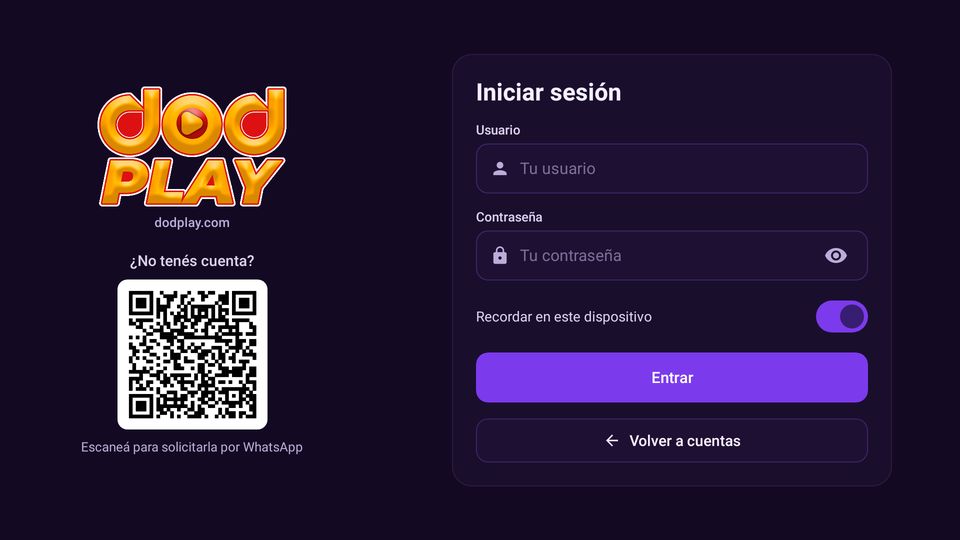
Open DOD Play and, with the remote, enter the username and password we sent you on WhatsApp.
2
Leave Remember on this device on and select Sign in. You no longer need to type “DODPLAY”.
3
Don’t have an account? Scan the QR code with your phone and message us on WhatsApp.
✨What you can do
📺Live TVChannels by category, favorites, and the channel you’re watching always at hand.
🎬Movies and SeriesPick up where you left off and jump straight to the next episode.
💬Audio and subtitlesChoose audio and subtitle language, text size and style.
👥Multiple accountsSave more than one account and switch between them in one tap.
📅Your accountPackage, expiration date and time always visible.
⚡Test connectionTest your internet from Settings and the app tells you if it’s good.
🔄Always up to dateContent updates by itself every day.
🔔NotificationsMessages and news from DOD Play in the bell.
1
With the remote, the gear ⚙ on the left opens settings and Test connection.
📶Test your connection
1
In the app go to the gear ⚙ › Test connection. The test uses our Miami server and at the end tells you if your internet is good enough to watch.
Download25 Mbps or moreBetween 10 and 25 may barely work. Under 10 it freezes or looks pixelated.
PingUnder 100 msIf it’s higher, channels take longer to load or switch.
JitterUnder 10 msIf it’s higher, the video cuts out or stops at times even if the download speed is good.
Possible internet-related causes
📡Wi-Fi far away or behind wallsMove the modem closer or use a repeater. If you can, connect the TV with a network cable: it’s the most stable.
📶2.4 GHz networkIf your modem has a 5 GHz network (or “5G” in the name), connect to it: it’s faster with fewer drops.
👨👩👧Many people using the internetDownloads, video calls, games or other TVs at the same time take speed away from the video.
🔁The modem needs a restartUnplug it for 30 seconds and plug it back in. Also restart the TV or device.
🕗Peak hoursAt night and during big games your provider may slow down. Test your connection at that time.
🛡️VPN or blockersA VPN, an unusual DNS or an ad blocker on the modem can slow down or block the service. Turn them off and try again.
📉Low internet planIf the Speedtest always shows under 10 Mbps, the plan isn’t enough. Ask your provider for more speed.
Did the test and everything looks good but it still fails? Send us a screenshot of the result on WhatsApp and we’ll check it.
⏰If your account expires
1
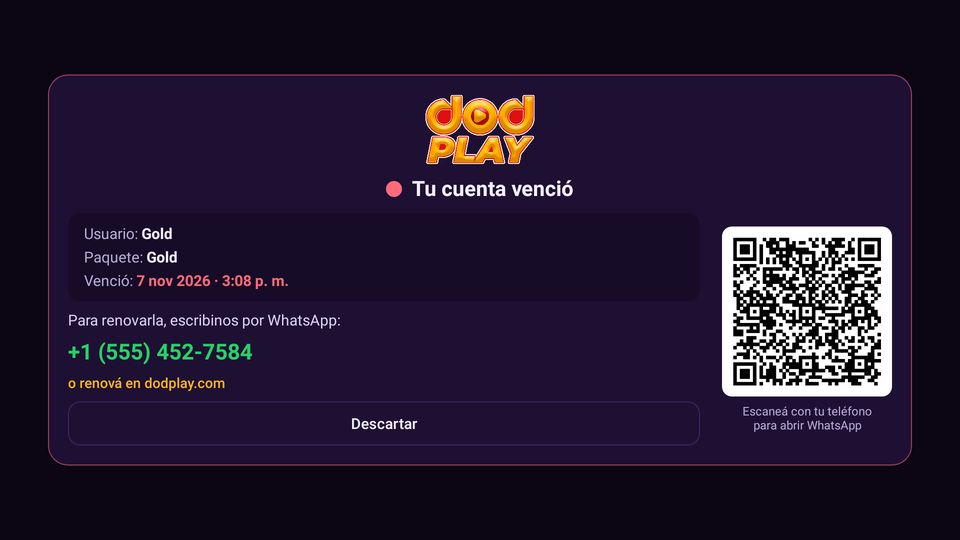
If your account expires, the app shows you the date and time. Scan the QR code with your phone to renew on WhatsApp. Then sign in with the same username.
🛟If something doesn’t work
It says “wrong username or password”
Check upper case, lower case and spaces. If your account expired, the app tells you. If it still fails, message us.
The channel or movie keeps loading
Go to Settings ⚙ › Test connection. We recommend: 25 Mbps or more download (minimum 10), ping under 100 ms and jitter under 10 ms.